July 5, 2026 · Modality
What Is an Event CRM? The Complete 2026 Guide
An event CRM keeps your attendees, ticket sales, and marketing in one system so you can turn one-time buyers into repeat fans. Here is how it works and what to look for.
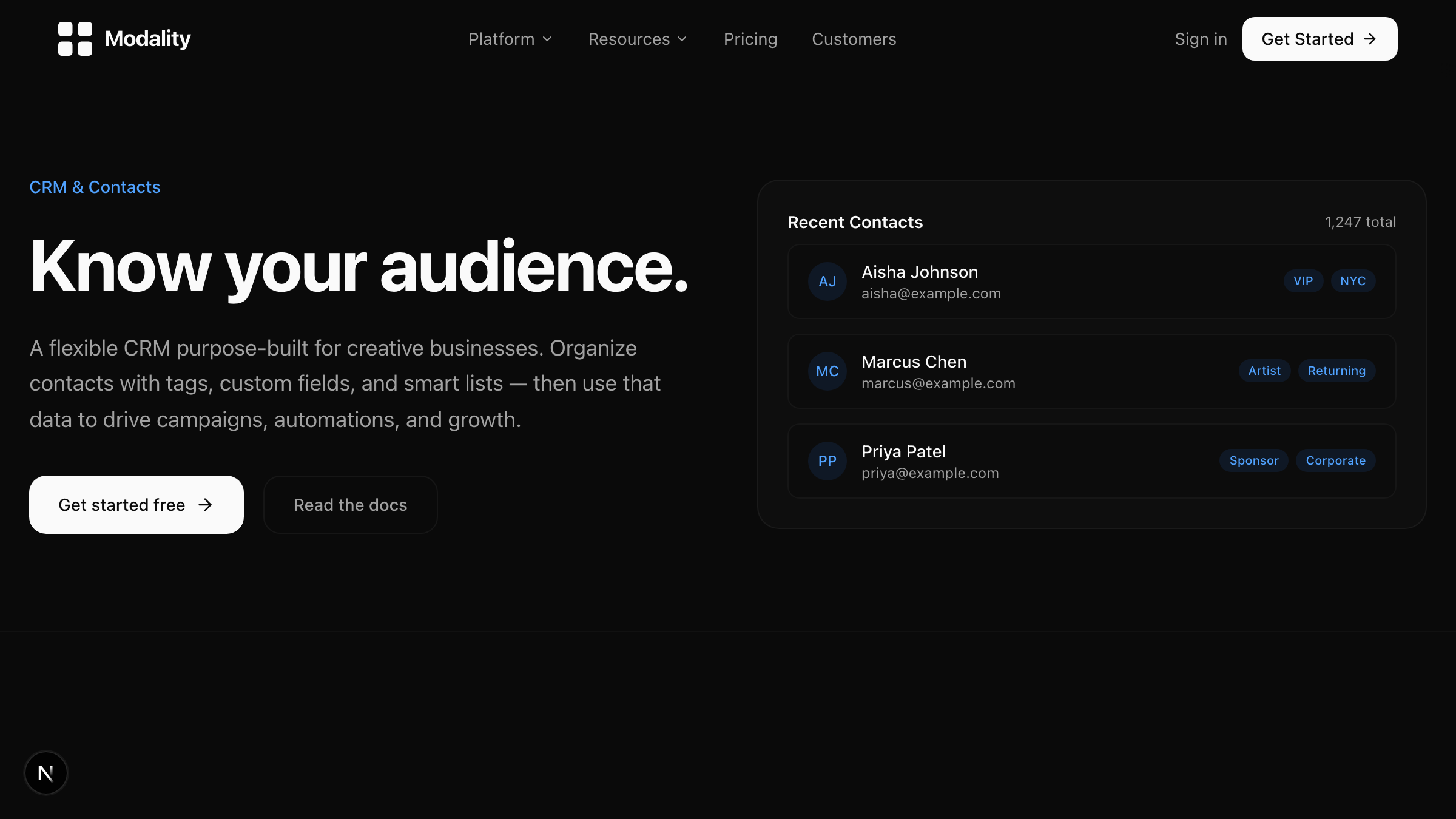
An event CRM is a customer relationship management system built for the way experience-led businesses actually work: capturing leads and RSVPs, selling tickets, tracking attendees across multiple events over time, and turning first-time guests into repeat customers. Unlike a general sales CRM, it treats events, ticket buyers, and audience relationships as first-class data instead of bolting them onto a pipeline meant for B2B deals.
If you run venues, produce shows, book artists, or manage events for clients, an event CRM is the piece that ties everything together. This guide covers what it is, how it differs from a sales CRM, the features that matter, who needs one, and how to move off spreadsheets without losing your history.
What is an event CRM, exactly?
An event CRM is a system of record for every person and organization connected to your events, plus the tools to reach them again. It stores contacts, tracks which events they attended or bought tickets to, records how much they spent, and lets you segment that audience for future campaigns. The best event CRM software connects lead capture, ticketing, and marketing so you are not stitching data together by hand after every show.
Think about what a typical event actually generates: form submissions from your landing page, ticket orders, walk-up guests, promo code usage, RSVPs that never converted, and a wave of new email addresses. A generic tool sees a list. An event management CRM sees people with history, and it keeps that history attached to each contact so your next campaign starts from real relationships instead of a cold list.
Modality takes this a step further by combining the CRM with the events, ticketing, and campaign tools in one place, so a ticket sale automatically becomes a contact record with attendance history. You can explore how the CRM works and how it connects to events and ticketing directly.
How is an event CRM different from a sales CRM like Salesforce or HubSpot?
Sales CRMs are built around a deal pipeline: a lead moves through stages until it closes as revenue. That model fits a sales team chasing a handful of large contracts. It does not fit a venue that sells 400 tickets to a Friday night show, or a producer running twelve events a year with thousands of attendees.
Here are the practical differences that matter:
- Unit of value. A sales CRM optimizes for one deal per account. An event CRM optimizes for many small transactions per person over time (tickets, orders, memberships).
- Data shape. Sales CRMs assume a rigid contact-company-deal model. An event CRM needs flexible objects: guests, artists, vendors, sponsors, room bookings. Modality uses custom objects and linked records so you can model whatever your business actually tracks.
- Where the data comes from. Sales reps type into a sales CRM. In events, the data comes from ticket checkout, forms, and RSVPs, so the CRM has to capture it automatically or it never gets entered at all.
- What you do next. A sales CRM triggers a follow-up call. An event CRM triggers an announcement to everyone who came to the last three shows in a city.
You can bolt event data onto Salesforce or HubSpot, but you end up paying for a sales pipeline you do not use and building custom fields to fake ticketing. A purpose-built crm for event planners starts where you actually are.
What features should the best CRM for events have?
Not every tool that calls itself an event CRM does the whole job. When you evaluate the best CRM for events, look for these core capabilities:
- Automatic contact creation from real activity. Ticket buyers, form fillers, and RSVPs should land in the CRM without manual import.
- Flexible records and views. Custom objects, calculated fields, and saved views (table, kanban, timeline, gallery) so the data fits your business instead of the other way around.
- Native events and ticketing. Public event pages, ticket types, promo codes, QR-code tickets, and Stripe checkout, all writing back to the same contact records.
- Pay-enabled forms. A drag-and-drop builder with conditional logic and payments for registrations, deposits, and recurring orders. See how forms capture both data and money.
- Segmentation and multi-channel campaigns. Target by tag, list, or segment and reach people over email, SMS, and social. Modality includes ESP connectors for Mailchimp, Klaviyo, and Brevo through its campaign tools.
- Automations. A visual workflow engine that fires follow-ups, tags, and reminders based on what people do. Explore the automation engine to see the triggers and actions.
- Reporting you can act on. Running totals by item, per-person rosters with payment status, and dashboards that tie revenue back to events and campaigns.
If a platform nails ticketing but has no CRM, or has a CRM but no way to sell, you are back to duct-taping tools together. The point of an event CRM is that these live in one dataset.
Who actually needs an event CRM?
Anyone whose business depends on the same people coming back. Here are three concrete use cases.
A producer running a recurring event series
A producer with a monthly warehouse party wants to know who has attended three or more times, who bought early-bird every time, and who RSVP'd but never showed. With an event CRM, each show feeds attendance data into contact records, so the producer can build a segment of loyal regulars and text them a presale link before general sale opens. That one segment often outsells the entire public push.
A venue turning walk-ins into regulars
A live-music venue books five to seven shows a week. Ticket buyers and door guests accumulate as contacts. The venue tags people by genre, then sends a targeted email whenever a similar act is announced. Over a season, that repeat business is worth more than any single sold-out night. This is exactly the problem a dedicated CRM for venues is built to solve.
An agency managing events for multiple clients
An agency runs events on behalf of brands and needs to keep each client's audience separate, report on ticket revenue and lead volume per client, and prove ROI. An event management CRM with flexible objects lets the agency model clients, events, and attendees cleanly, then hand each client a dashboard instead of a spreadsheet.
What are the signs you have outgrown spreadsheets?
Spreadsheets are fine for your first event. They stop working fast. You have outgrown them when:
- You maintain the same contact in three different files (tickets, email list, guest list) and they never match.
- You cannot answer "who came to my last two events but not this one" without an afternoon of manual work.
- Copy-pasting a ticket export into your email tool is a recurring chore before every campaign.
- Someone overwrote a formula and you lost payment status for a whole event.
- You have no idea which channel or campaign actually drove ticket sales.
Every one of those is a symptom of data living in the wrong place. A CRM fixes it by making the contact the single source of truth and letting events, orders, and campaigns attach to it.
How do you choose an event CRM?
Run any candidate through this checklist before you commit:
- Does it capture data automatically? If you still have to import ticket buyers by hand, it is not solving the core problem.
- Can it sell? Native ticketing and pay-enabled forms mean money and data flow into the same system.
- Does the data model bend to you? Custom objects and linked records matter more than a fixed pipeline.
- Can you market from it? Segmentation plus multi-channel sends, or clean connectors to your ESP.
- What does it cost per ticket? Per-ticket fees add up. If you are comparing platforms, our roundup of Eventbrite alternatives breaks down the fee models.
- Does it own your audience? You should keep your first-party data, not rent it from a marketplace.
Modality was built to answer yes to all six, which is why it positions as an operating system for events rather than a single-purpose tool. If AI setup matters to you, its AI workspace generation can stand up a working CRM, event pages, and forms from a plain-English description of your business.
How do you migrate to an event CRM?
Migration sounds scary and usually is not. A clean move looks like this:
- Export your current data. Pull your contacts, past ticket orders, and email lists to CSV.
- Map your fields. Decide what a "contact" record needs (name, email, phone, tags, attendance history) and match your columns to it.
- Import in stages. Bring contacts in first, then attach historical orders and attendance so records are complete.
- Rebuild your key segments. Recreate the lists you send to most (regulars, VIPs, lapsed guests) as saved views or tags.
- Point new signups at the new system. Move your event pages and forms over so all fresh data lands in one place from day one.
- Run one campaign to validate. Send a small announcement to confirm segmentation and deliverability before you fully switch.
Do it between events, not during, and keep the old export as a backup until you have run a full event cycle on the new system.
Frequently asked questions
Is an event CRM the same as event registration software?
No. Registration software collects signups for a single event. An event CRM keeps those people as lasting contacts with attendance and purchase history across every event, so you can market to them again.
Can I use Salesforce or HubSpot as an event CRM?
You can force it, but you will pay for a sales pipeline you do not need and build custom fields to fake ticketing and RSVPs. A purpose-built event CRM captures ticket and form data automatically and models guests, venues, and events natively.
How much does event CRM software cost?
Pricing ranges from free tiers to per-seat plans, and some platforms add per-ticket fees on top. Compare total cost including ticketing fees, not just the monthly subscription.
Do I need technical skills to set one up?
No. Modern event CRM software is no-code, and tools like Modality can generate your workspace, event pages, and forms from a short description of your business.
Ready to put every guest, ticket buyer, and lead in one place? Start free with Modality and build your event CRM, event pages, and campaigns from a single workspace.
Run it all in one place
Modality brings your CRM, ticketing, forms, payments, and marketing together, with AI that sets it up for you.
Start free