September 23, 2026 · Modality
Event Registration Forms: The Setup Guide (with Payments)
A good event registration form captures the right info, takes payment, and drops everyone into your CRM. Here is how to set one up the right way.
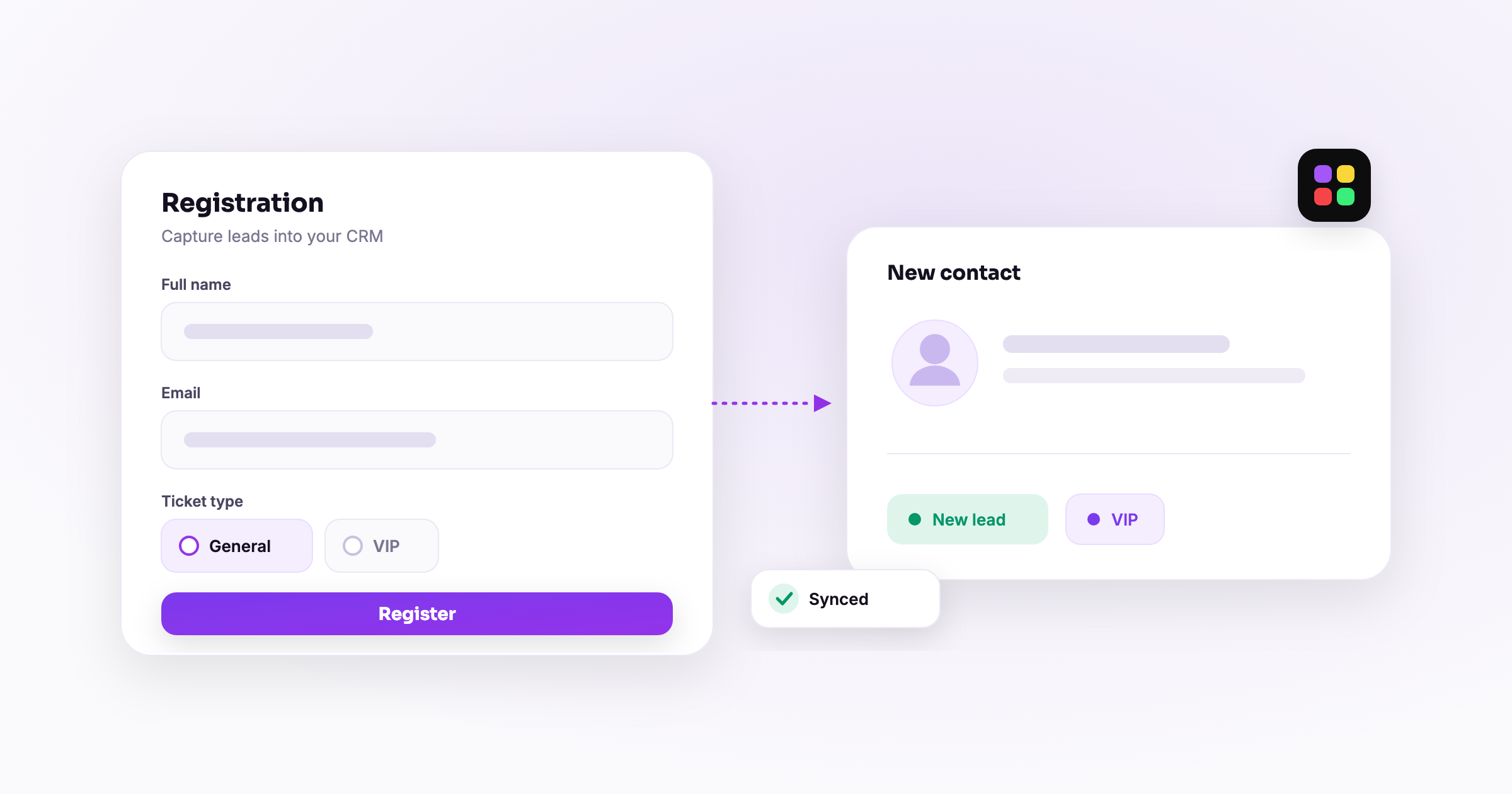
A great event registration form collects only the fields you truly need, takes payment in the same step, and drops every registrant straight into your CRM. Get those three things right and you turn casual interest into confirmed, paid attendees without the friction that kills signups. This guide walks through building one end to end, from which fields to keep to confirmations and reminders that actually show up.
Whether you are running a one-off workshop, a multi-track conference, or a recurring class, the same principles apply. Below is a step by step setup for an online registration form that converts, plus the conversion best practices that separate a form people finish from one they abandon.
What is an event registration form and what should it do?
An event registration form is the page where people commit to attending your event by entering their details and, when relevant, paying. A good one does four jobs at once: it captures the right information, collects payment where needed, confirms the spot instantly, and feeds a clean record into your system so you can follow up. If your form only does the first job, you are creating manual work for yourself later.
The best event signup form with payment removes the second step entirely. Instead of "register now, we'll email you an invoice," the attendee picks a ticket or class slot, pays, and gets a confirmation in one flow. Fewer steps means fewer drop-offs. Modality's pay-enabled forms combine a drag-and-drop builder, conditional logic, and Stripe payments in a single form, so you are not stitching tools together.
Which fields should you collect (and which should you cut)?
The biggest mistake with any online registration form is asking for too much. Every field is a small tax on completion, so treat each one as something you have to justify. Start with the minimum and add only what you will actually use.
Almost always collect
- Full name — for your roster and name badges.
- Email — for confirmations, reminders, and future marketing.
- Ticket or session choice — what they are registering for.
Collect when it is genuinely useful
- Phone number — only if you plan to send SMS reminders.
- Company and job title — for B2B conference registration and networking.
- Dietary or accessibility needs — for catered or in-person events.
- How did you hear about us — a light-touch attribution field.
Usually cut
- Mailing address (unless you are shipping something).
- Long open-text questions that no one reads.
- Anything you are collecting "just in case."
A useful rule: if a field will not change how you run the event or follow up, cut it. You can always ask more later once someone is already a warm contact in your CRM.
How does conditional logic make a form smarter?
Conditional logic shows or hides fields based on earlier answers, so every person only sees what is relevant to them. This keeps the form short for everyone while still capturing detail where it matters. It is the single feature that lets one registration form template serve very different attendees.
Examples that work well:
- Someone selects the in-person option, so the form reveals dietary and accessibility questions. Virtual attendees never see them.
- A multi-track conference asks which track they want, then shows only the sessions in that track.
- A registrant chooses "bringing a guest," which unfolds fields for the guest's name.
- A paid tier reveals payment fields, while a free RSVP tier skips straight to confirmation.
The result feels personal and fast, which is exactly what pushes completion rates up.
How do you collect payment in the same step?
The cleanest event signup form with payment never sends people off to a separate checkout. The attendee selects what they want, enters card details, and pays inside the form. Here is the step by step setup:
- Connect Stripe. Link your Stripe account so payments and payouts run through infrastructure you control.
- Add priced items. Create tickets, class slots, or add-ons, each with its own price. Prices are set once and shown live on the form.
- Attach payment to the right path. Use conditional logic so only paid selections trigger the card fields; free RSVPs pass straight through.
- Enable promo codes. Offer early-bird or member discounts without a third-party tool.
- Set an order cutoff. For a recurring class, a single stable link can show the current period and stop taking orders after your deadline.
- Test a real transaction. Run one live registration yourself before you share the link.
Because payment and registration happen together, your order report shows a running total by item and a per-person roster with payment status. No reconciling a signup sheet against a payment app afterward.
How do you sync registrants to your CRM automatically?
A form that dumps submissions into a spreadsheet is a dead end. The value shows up when each registrant becomes a living contact record. Every submission should create or update a person in your CRM, tagged by event, with their ticket type and payment status attached.
Once registrants live in the CRM, you can:
- Segment by event, track, or ticket tier for targeted follow-up.
- Trigger automated confirmations and reminders the moment they register.
- See a registrant's full history, so a repeat attendee is recognized, not a stranger.
- Build an audience you can invite to the next event for free.
This is where an all-in-one platform earns its keep. When the form, payments, and contacts share one database, there is no export-import dance and no data drift between tools.
What about confirmations, reminders, and conversion?
Confirmations
Send an instant confirmation the second someone registers. Include the date, time, location or join link, what to bring, and the payment receipt. A prompt confirmation reduces "did it go through?" support messages and sets a professional tone.
Reminders
No-shows are the silent killer of live events. Schedule an automated reminder sequence: one a week out, one the day before, and one the morning of. For a recurring class, reminders can fire each cycle automatically. This alone can lift attendance meaningfully.
Conversion best practices
- Keep it to one screen where possible. Shorter forms convert better.
- Show the price and what is included before the card field, so there are no surprises.
- Use a clear button label like "Complete registration" instead of a vague "Submit."
- Make it mobile-first. Most registrations happen on a phone.
- Add trust signals such as the venue, date, and a real photo of past events.
- Then drive traffic to it. A great form still needs promotion, which our guide on how to promote an event covers in detail.
How does this play out for different events?
A single workshop
Keep the form to name, email, and ticket choice, with an optional dietary question for the in-person crowd. Payment in-form, instant confirmation, one reminder the day before. Simple and high-converting.
A multi-track conference
Use conditional logic for track selection, collect company and title for networking, and offer tiered pricing (early bird, standard, group). Sync everyone to the CRM tagged by track so you can email track-specific logistics.
A recurring class
Share one stable link that always shows the current session with an order cutoff. Registrants pay per cycle, the roster updates automatically, and reminders go out each period without you rebuilding the form.
Frequently asked questions
How many fields should an event registration form have?
As few as you can justify. For most events, name, email, and a ticket or session choice is enough to start. Add fields only when the answer will change how you run the event or follow up afterward.
Can one form both take payment and register free RSVPs?
Yes. With conditional logic, paid selections reveal card fields while free RSVP options skip straight to confirmation, all within the same form.
Do registrants automatically end up in my CRM?
They should. A good event signup form with payment creates or updates a contact on submission, tagged by event and ticket type, so follow-up is automatic rather than manual.
What is the best way to reduce no-shows?
Automated reminders. Schedule a short sequence (a week out, the day before, and the morning of) and attendance climbs. For recurring classes, set the reminders once and let them fire every cycle.
Ready to build a registration form that takes payment, syncs to your CRM, and fills your event? Start free with Modality and publish your first online registration form today.
Run it all in one place
Modality brings your CRM, ticketing, forms, payments, and marketing together, with AI that sets it up for you.
Start free