September 9, 2026 · Modality
Event Email Marketing: Templates, Timing, and Automation
Event email marketing lives and dies on timing. Here is the send schedule, the templates, and the automations that turn a list into a sold-out room.
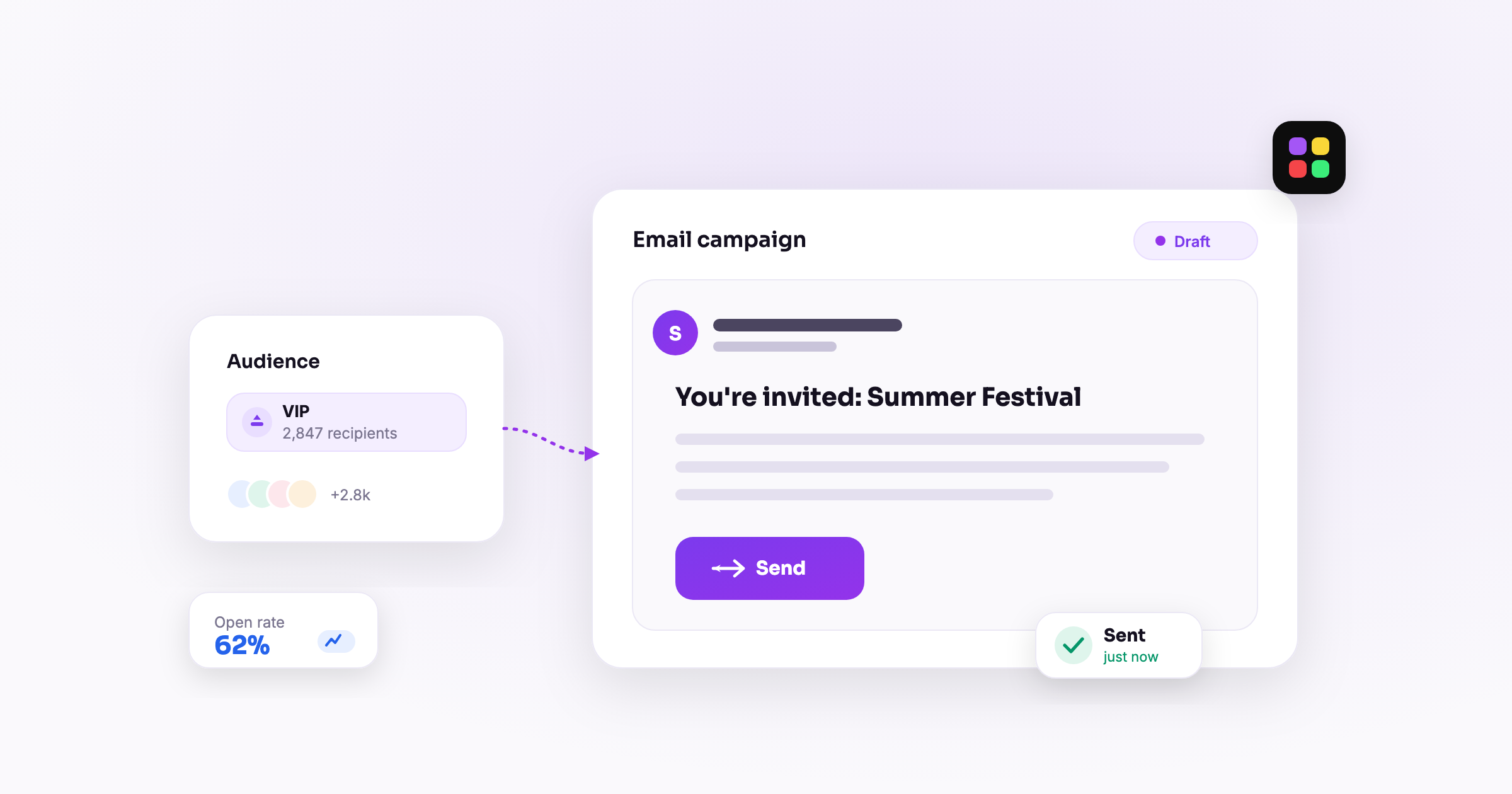
Event email marketing works when you get the timing right, not when you send the most messages. The single biggest lever is a well-spaced sequence that meets people where they are in the buying decision: an announcement, a reminder a week out, a nudge the day before, and a follow-up after the doors close. Do that, segment by behavior, and write subject lines people actually open, and you will sell more tickets than any burst of daily blasts ever could.
This guide walks through the exact send schedule that sells, ready-to-use template outlines for each message, how to segment by behavior, and how to automate the whole event email sequence so it runs itself. We will use two running examples: a ticketed show and a multi-day conference.
Why does timing beat volume in event email marketing?
Because people buy tickets on their own clock, not yours. Someone who saw your announcement three weeks ago is not the same person the night before the event, and sending them the same message wastes both. Good event email marketing spaces a small number of high-intent messages across the buying window so each one lands at a moment when it can actually convert.
Volume, by contrast, trains people to ignore you. Send five emails in a week and open rates collapse, unsubscribes climb, and your best future sends land in spam. A tight sequence of four or five well-timed emails almost always outperforms a dozen scattered ones. The goal is to be present at the decision points, then get out of the inbox.
The buying window for a typical event
- Announcement: generates the first spike of early buyers and superfans.
- Mid-window: a quiet stretch where interest fades without a reminder.
- Final week: where most fence-sitters convert, driven by scarcity and specificity.
- Last 24 hours: the single highest-converting send for last-minute buyers.
- Post-event: where you turn a buyer into a repeat attendee.
What is the exact event email sequence that sells tickets?
Here is the send schedule that works for most ticketed events. Adjust the spacing for longer lead times (a conference sold months out) versus shorter ones (a club night announced two weeks ahead), but keep the shape.
- The announcement (day 0): reveal the event, the hook, and the on-sale. Lead with the thing people care about most, whether that is the headliner, the speaker lineup, or the early-bird price.
- The week-out reminder (7 days before): re-surface the event for everyone who did not act on the announcement. Add proof: tickets moving fast, a schedule drop, a new act added.
- The day-before reminder (24 hours out): the highest-urgency send. Short, direct, one button. This is your last chance to catch the "I'll get to it" crowd.
- The post-event follow-up (within 24 hours after): thank people, share highlights, and point them to the next thing. This is where retention starts.
For a conference, add one more send between the announcement and the week-out reminder: an agenda or speaker spotlight roughly two to three weeks out. Conferences sell on program depth, so giving people a reason to justify the ticket (and the time off) matters more than for a one-night show.
How do you segment event emails by behavior?
The fastest way to lift results is to stop sending one email to everyone. Two behavioral segments do most of the heavy lifting.
Viewed but did not buy
These people clicked through to your event page and left without checking out. They are your warmest non-buyers. Send them a targeted nudge with a reason to act now: a promo code, a low-inventory tier, or a specific detail they may have missed. Because they already showed intent, a single well-aimed message here often converts better than three generic blasts.
Past attendees
People who came to your last show or conference are the cheapest tickets you will ever sell. Give them early access, a returning-guest code, or a simple "you were here last time, we saved you a spot" message before you open sales to the wider list. Treat them as a distinct audience, not a line item in the mass send.
In Modality, both segments come from data you already own. Because ticketing and CRM live in the same platform, "viewed the event page but has no order" and "attended a past event" are just saved views you can target directly in a campaign, no CSV exports or manual list-building required. That first-party foundation is worth building deliberately, which is why we cover owning your audience with first-party data in its own guide.
What makes a good event invitation email subject line?
Subject lines decide whether the rest of your work gets seen. A few rules that hold up across event types:
- Be specific, not clever. "Doors open Friday, here's the set time" beats "Something big is coming."
- Put the value first. The act, the speaker, the discount, or the date should appear before any filler.
- Use urgency honestly. "Final 20 tickets" only works if it is true. Fake scarcity burns trust fast.
- Keep it short. Aim for 40 characters or fewer so it survives on mobile.
- Match the send. The day-before reminder should feel more urgent than the announcement. Your subject line should signal that.
For an event invitation email that opens the sequence, personalization helps: a first name, or a reference to their city or their last visit, lifts opens without feeling gimmicky.
What should each event email template say?
You do not need a design team. You need clear structure. Here are template outlines for each send that you can adapt into your own event email templates.
Template 1: the announcement
- Subject: the headline act, speaker, or date plus the on-sale.
- Opening line: the hook in one sentence.
- Body: what, when, where, and why it matters. Two or three sentences, not a wall of text.
- CTA: one button, "Get tickets," pointing to your event page.
Template 2: the week-out reminder
- Subject: urgency plus proof, for example "One week out, here's what's added."
- Opening line: the event is close and something new is worth knowing.
- Body: the update (added act, full agenda, tier selling out) and a nudge.
- CTA: "Grab your spot."
Template 3: the day-before reminder
- Subject: "Tomorrow: [event]. Last chance for tickets."
- Body: two sentences. The event is tomorrow, here is the door time, buy now.
- CTA: one button, nothing else competing with it.
Template 4: the post-event follow-up
- Subject: "Thanks for coming, here's what's next."
- Body: a genuine thank-you, a highlight or photo, and a pointer to the next event or a feedback question.
- CTA: "See what's coming" or "Tell us how it went."
The follow-up is the send most producers skip, and it is the one that compounds. We break the whole retention flow down in our guide to the post-event follow-up.
How do you automate the whole event email sequence?
Once you have the sequence, you should never send it by hand again. Automation turns your four-email schedule into a workflow that fires off the right message at the right offset for every event you run.
- Build the sequence once as a drip. Set each email to send relative to the event date: announcement on publish, reminder at minus seven days, reminder at minus one day, follow-up at plus one day.
- Attach it to the event. When you publish an event page, the sequence targets everyone in the relevant audience automatically.
- Layer in behavioral triggers. Add a rule so that anyone who views the event page but has no order after a set number of days gets the "viewed but did not buy" nudge.
- Let past-attendee logic run. A saved segment of prior attendees gets the early-access send before the general announcement.
Modality handles this with multi-channel campaigns for the email sequence itself and a visual automations engine (30-plus triggers, 25-plus actions) for the behavioral rules. Because your contacts, event pages, ticket data, and sends all live in one system, "someone bought a ticket" or "someone viewed but didn't buy" is a real trigger, not something you reconstruct from three disconnected tools. Pair the sequence with the wider tactics in how to promote an event and you have a repeatable machine.
Frequently asked questions
How many emails should I send for one event?
Four is the reliable baseline: announcement, week-out reminder, day-before reminder, and post-event follow-up. Add one or two more for events with long lead times, like a conference sold months in advance, where an agenda or speaker spotlight keeps interest alive.
When is the best time to send an event reminder email?
The two highest-converting reminder windows are roughly seven days before (to catch fence-sitters) and 24 hours before (to catch last-minute buyers). The day-before send is usually the single best performer, so keep it short and give it one clear button.
What is the difference between an event invitation email and a reminder?
The invitation is the announcement that opens sales and sells the hook. Reminders come later in the sequence, assume the reader already knows about the event, and lean on urgency and new information to convert people who have not acted yet.
Do I need separate tools for CRM and event email marketing?
No, and separating them usually hurts. When your contacts, ticket sales, and campaigns sit in different tools, behavioral segmenting becomes manual export work. Keeping them in one platform means "viewed but didn't buy" and "past attendee" are ready-made audiences you can email in a click.
Ready to run event email marketing that actually sells tickets? Start free with Modality and build your announce-to-follow-up sequence once, then let it run for every event you host.
Run it all in one place
Modality brings your CRM, ticketing, forms, payments, and marketing together, with AI that sets it up for you.
Start free